

Overview
To set up a connection with BigQuery, there are two supported methods:- Grant Permissions to a Statsig-owned Service Account
- Provide Credentials for Your Own First-Party Service Account
- Your BigQuery Project ID
- The dataset Statsig will use to save temporary tables and materialized results
Grant Permissions to Statsig’s Service Account
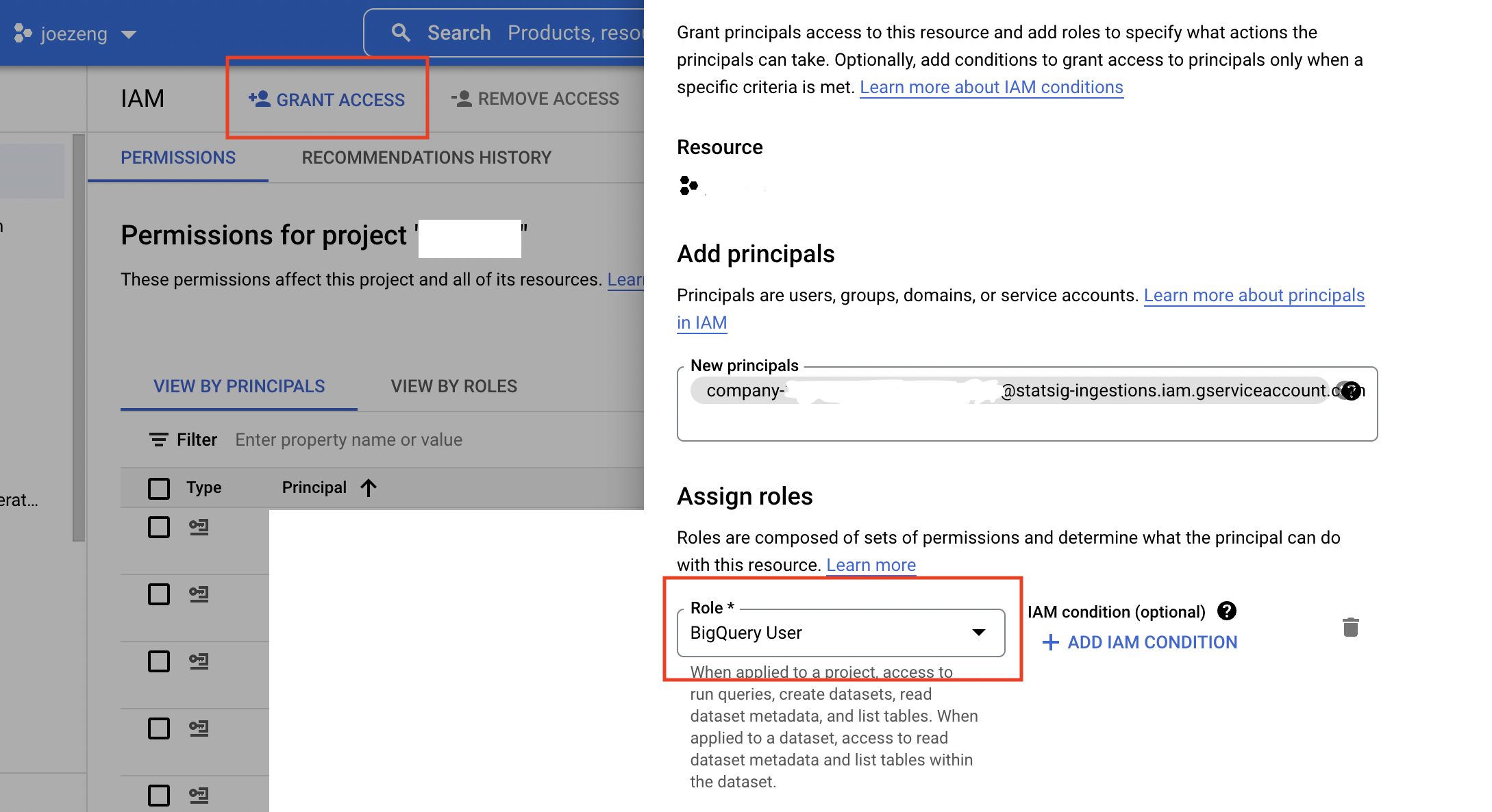
You need to grant some permissions for Statsig from your Google Cloud console in order for us to access your BigQuery data.- In your BigQuery’s IAM & Admin settings, add the Statsig service account you copied in the Statsig Console as a new principal for your project, and give it the following roles:
BigQuery User
-
Navigate to your BigQuery SQL Workspace, choose the dataset, click on ”+ Sharing” -> “Permissions” -> “Add Principal” to give the same Statsig service account “BigQuery Data Viewer” role on a dataset. Do this for any datasets you want the service user to be able to access.
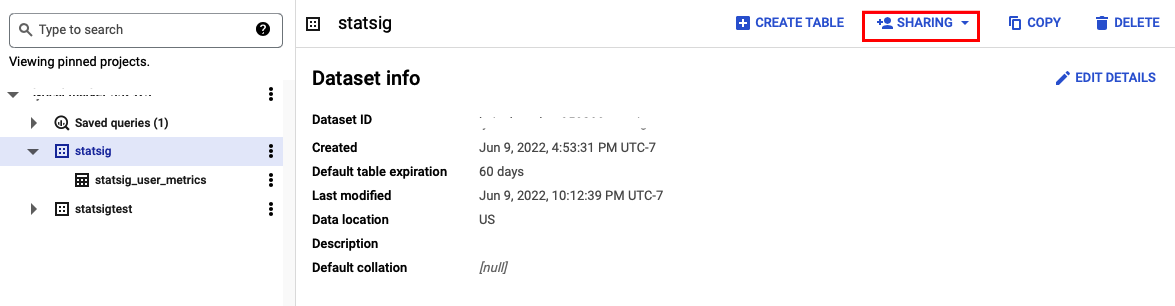
- Following the steps above, give the “BigQuery Data Editor” role on the dataset you want Statsig to use for its staging data.
If your data warehouse is IP protected, you must include allowlisting of Statsig IP ranges in your setup steps.
Using a First Party Service Account
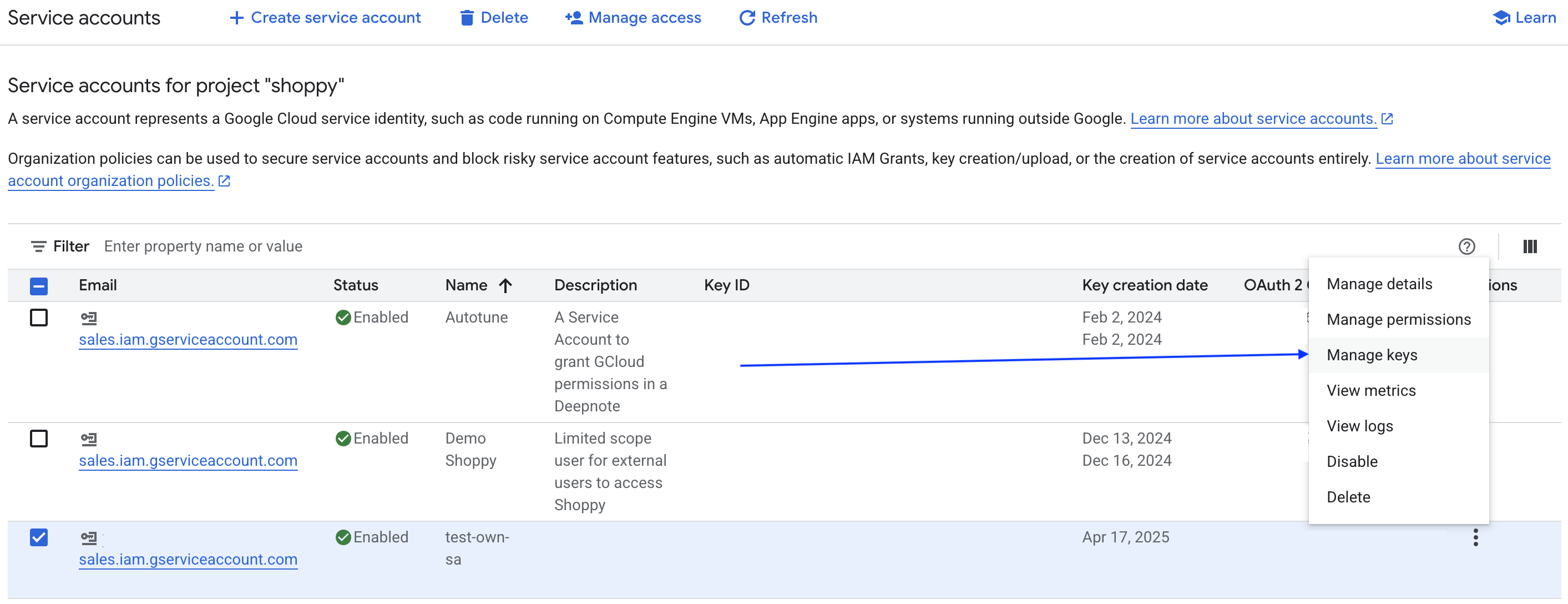
- On the BQ service accounts page, click ‘Manage Keys’ for the service account you want to use
-
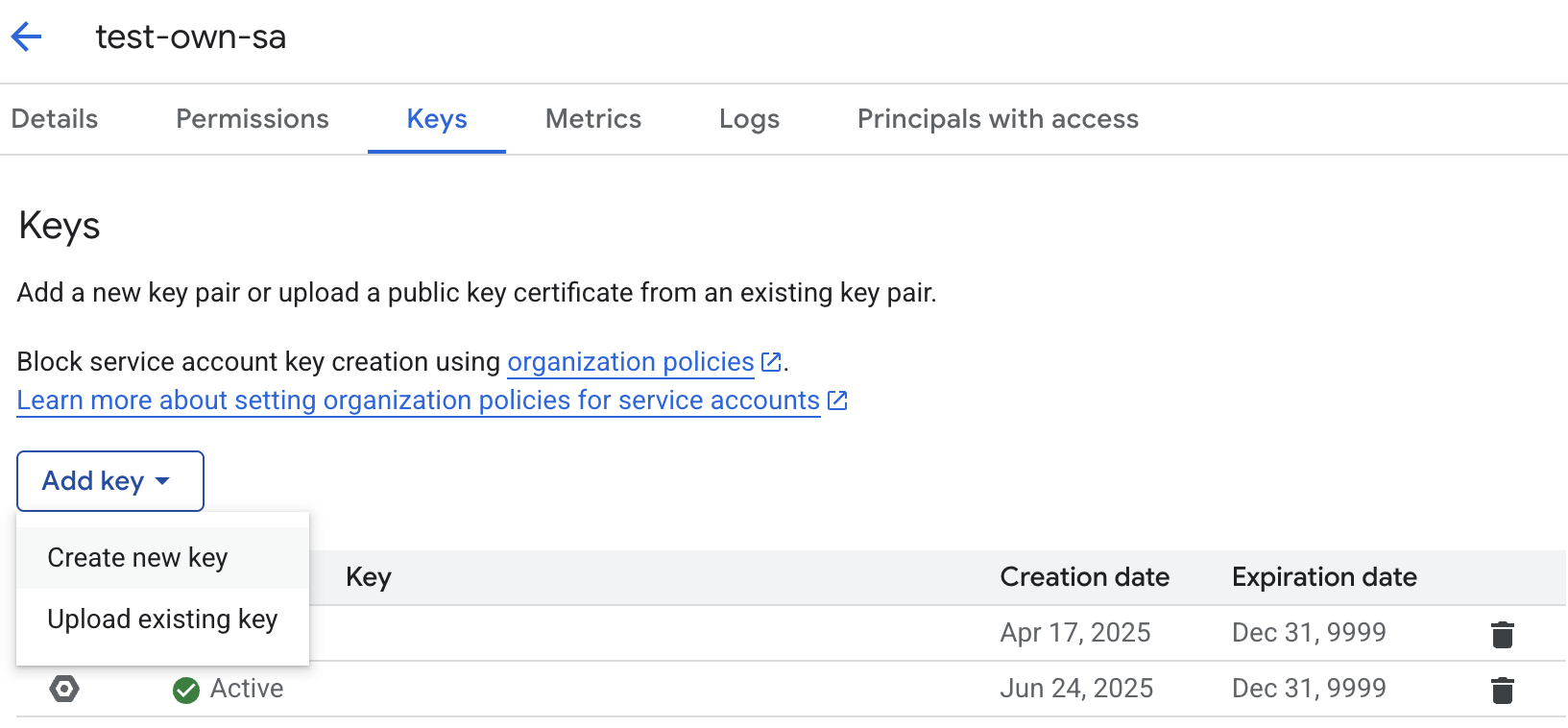
Create a new JSON key (which will download a JSON file)
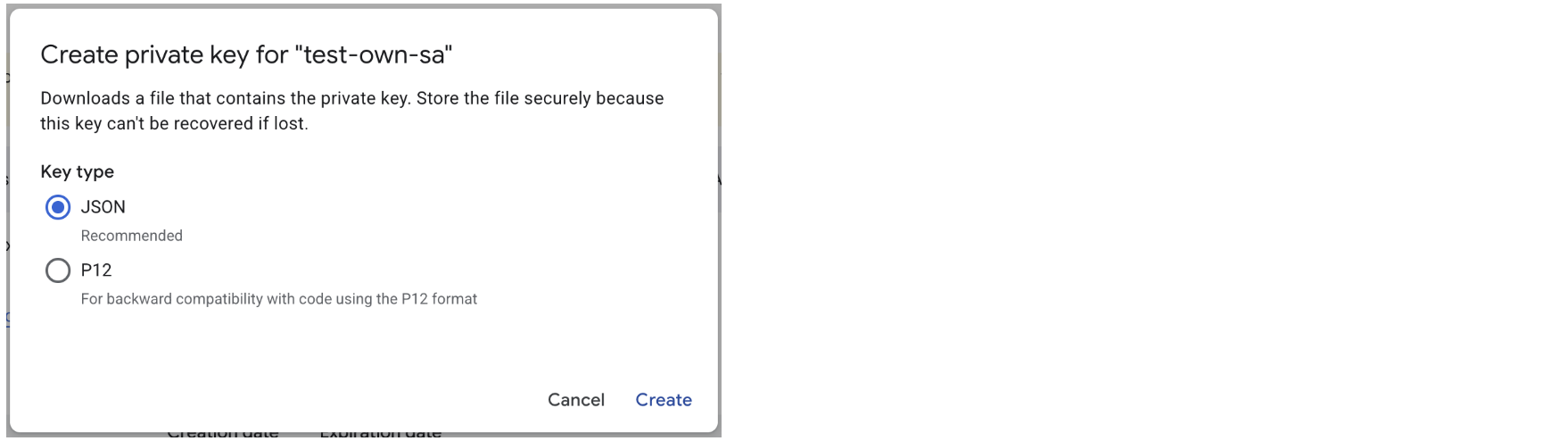
- In the Statsig Settings -> Data Connection tab, paste the above key into the Service Account Private Key field under the Advanced toggle.
Additional BigQuery Resources
BigQuery Project ID
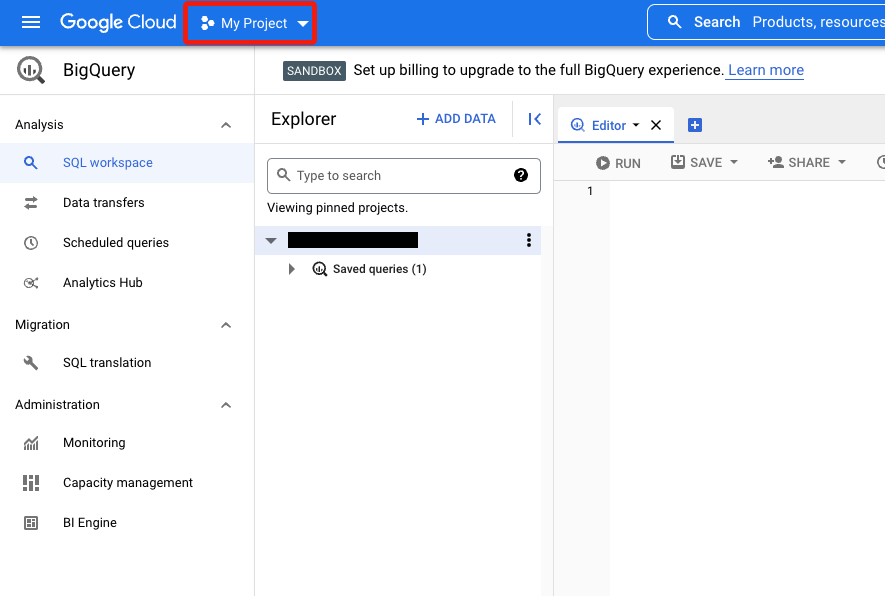
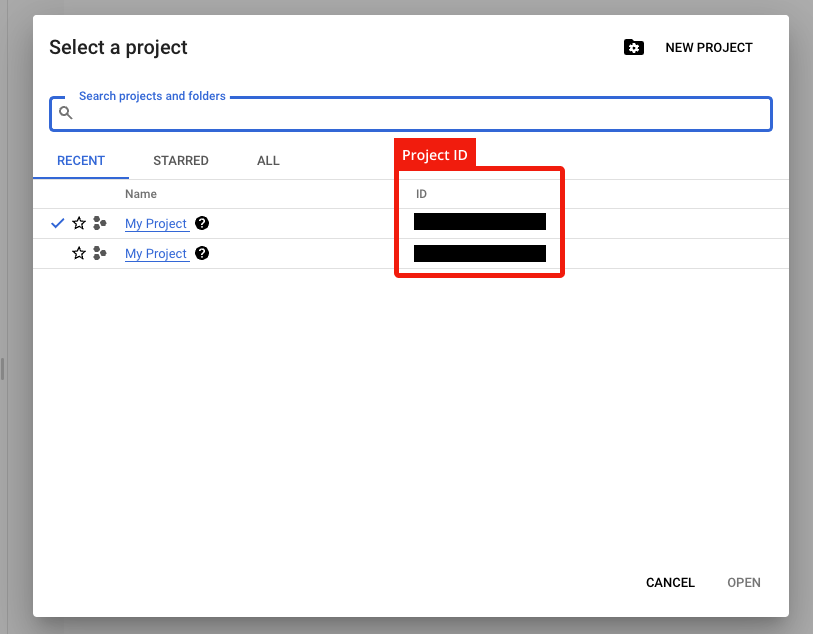
Find your BigQuery Project ID below- Click on your Project Dropdown inside your Cloud Console.
- Copy and paste relevant Project ID from the modal pop-up.
If your data warehouse is IP protected, you must include allowlisting of Statsig IP ranges in your setup steps.
What is Statsig’s Customer ID on BigQuery
C01d5f80sWhat IP addresses will Statsig access data warehouses from?
See FAQAdditional Setup for Warehouse Explorer
Warehouse Explorer makes it easy to find and bring data from any table into Statsig for ad-hoc analysis. Statsig will read fromINFORMATION_SCHEMA.COLUMNS, which requires explicit permission to view table metadata. You may provide access by repeating steps 1 and 2 from the Grant Permission section above for the “BigQuery Metadata Viewer” role.